
Visual Photo Search
Visual similarity search across roughly 430,000 photo references of the ZI photo archive — upload an image instead of typing a keyword.
What is it?
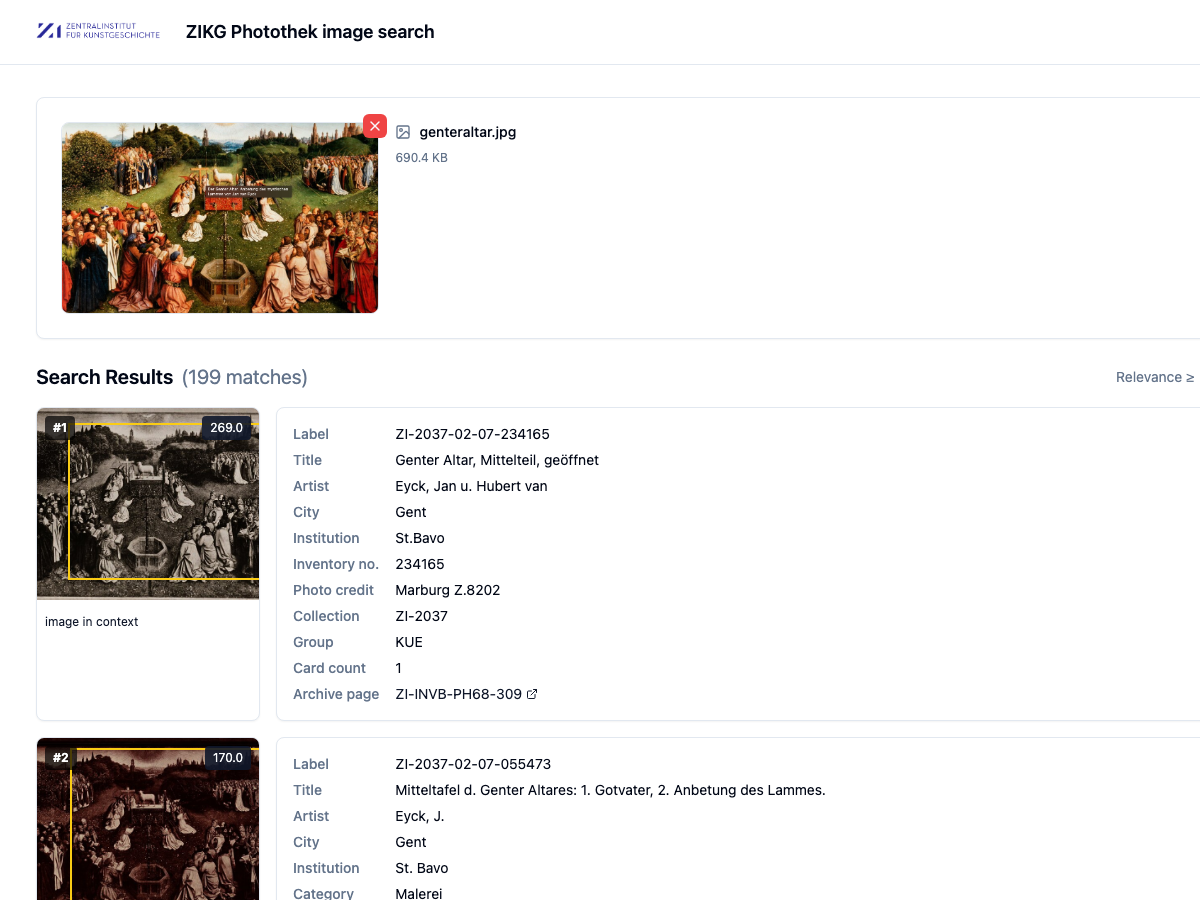
Visual photo search explores the photo archive’s holdings by content: instead of searching for text, you upload an image — for example a photograph of an artwork — and the system returns the visually most similar shots. Around 430,000 photo references from the digitized card holdings are indexed.
What you can see
- A result list ranked by visual similarity to your query
- The option to select an image region as a targeted query (e.g. just one detail of the work)
- Each hit linked to its underlying card data — artist, place, artwork title, inventory number — with a jump back into the corresponding inventory view
Usage hints
Drop an image into the search area via upload or drag-and-drop; optionally mark a region to narrow the search to a particular motif. Results appear ordered by similarity.
Under the hood, local image features are detected in every image and matched against the whole collection through a bag-of-words index; a subsequent spatial verification step checks whether the matched features fit together geometrically and ranks the hits accordingly.